
Microsoft Office-2024 installation and activation process
Microsoft Office-2024 installation and activation process in WINDOWS OS
1. First uninstall all the previous version of Microsoft Office from the system and make sure that the Time Zone is set to (UTC+05:30) Chennai, Kolkata, Mumbai, New Delhi and time/date is correct. Then follow these steps:
2. Download the MS_Office2024.zip file from software repo and unzip it.
http://swrepo.iitkgp.ac.in/Microsoft/Office/
3. Navigate to the path where the above zip was extracted and copy the folder path.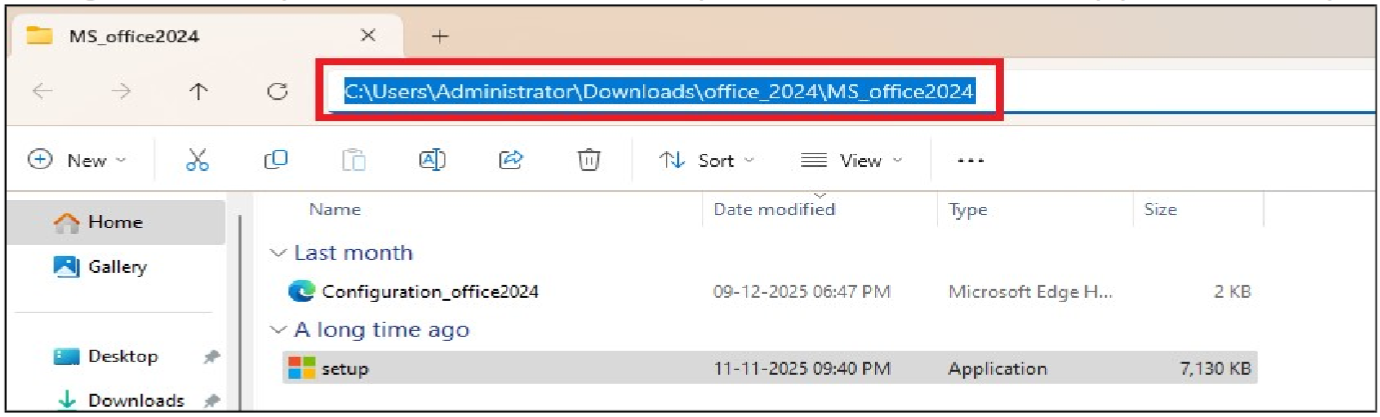
4. Open command prompt in Administrator Mode. (Press the Windows Start button at the bottom left --> Type in "cmd" --> Right click on Command Prompt and click "Run as administrator")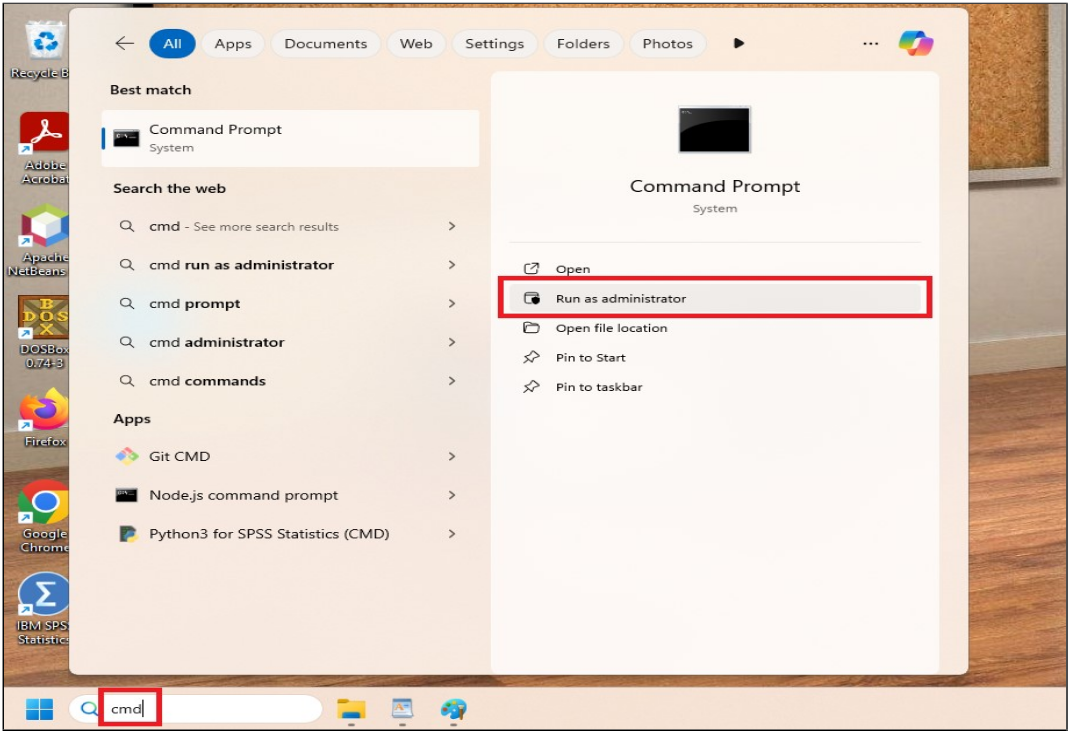
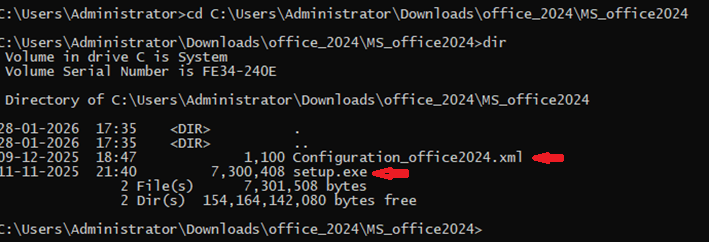
5. In command prompt type below commands. After typing dir, it will list the directory contents, you should be able see the files - Configuration_office2024.xml and setup.exe (refer to screenshot below):
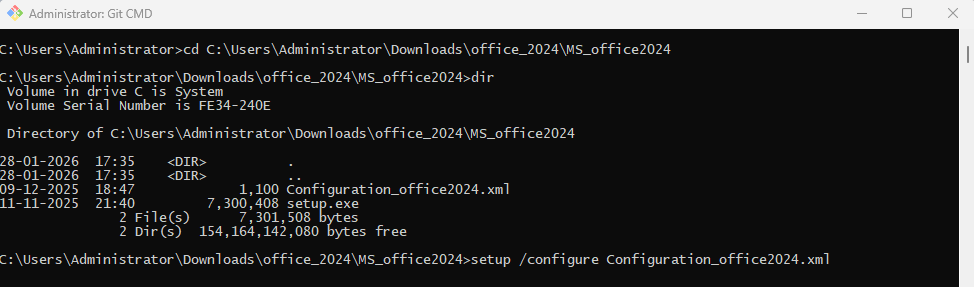
6. Type the below command to start installation process. It might take several minutes to complete the installation (screenshots below):
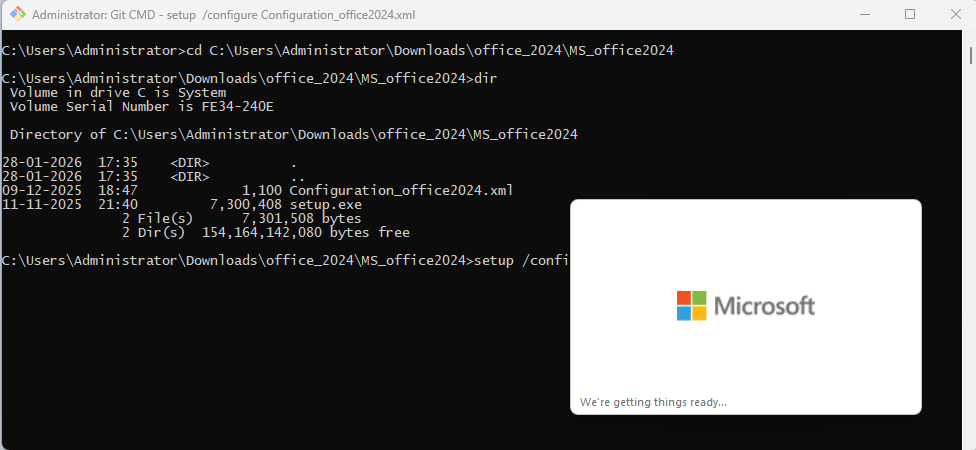
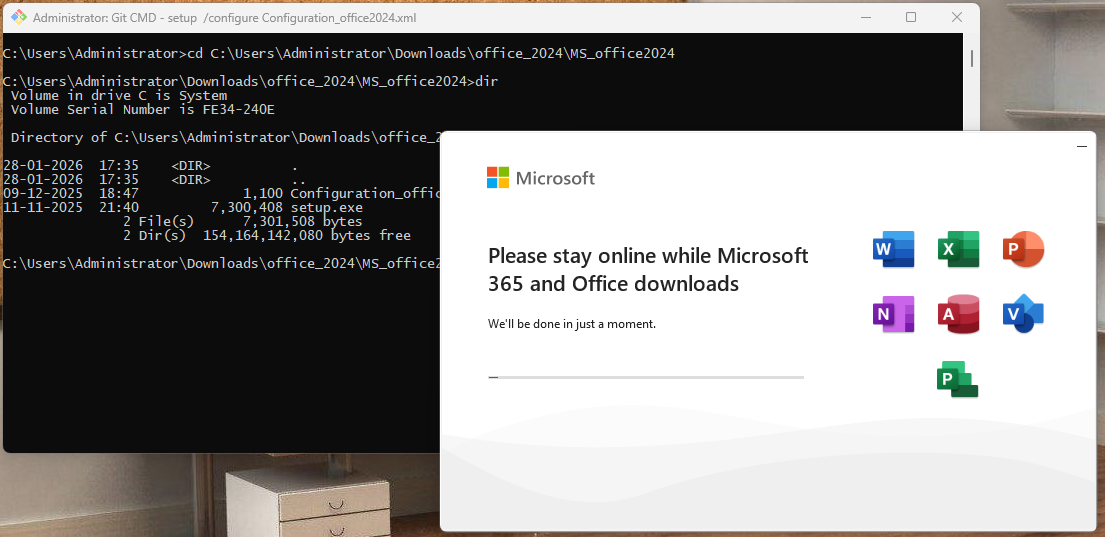
7. Once the installation is complete, you will get below screen. Click on Close button.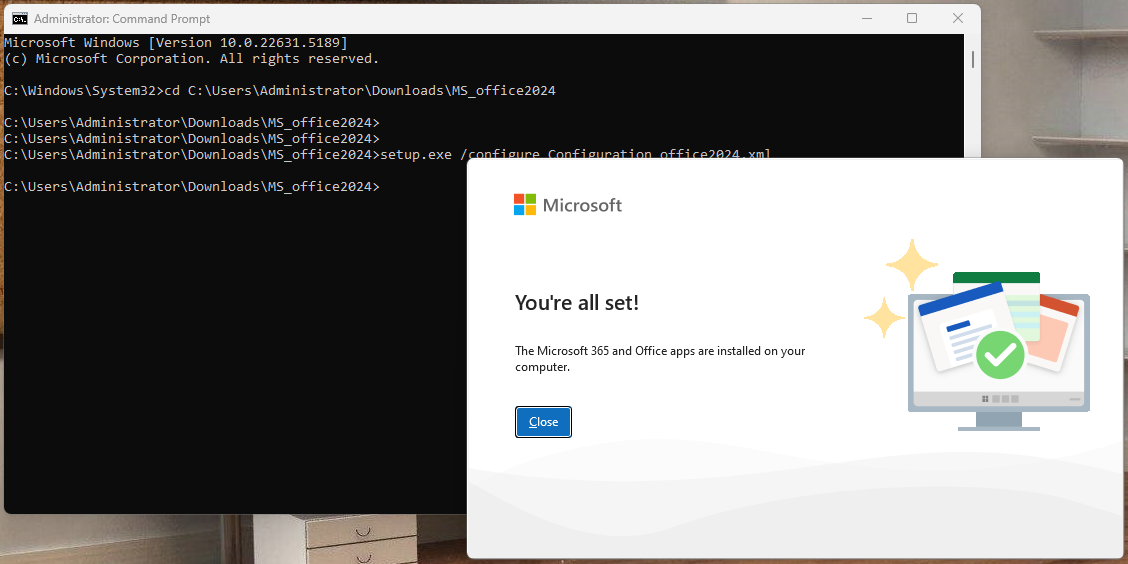
8. Launch MS Word application. In case you are getting below prompt, click on Accept and close MS Word application.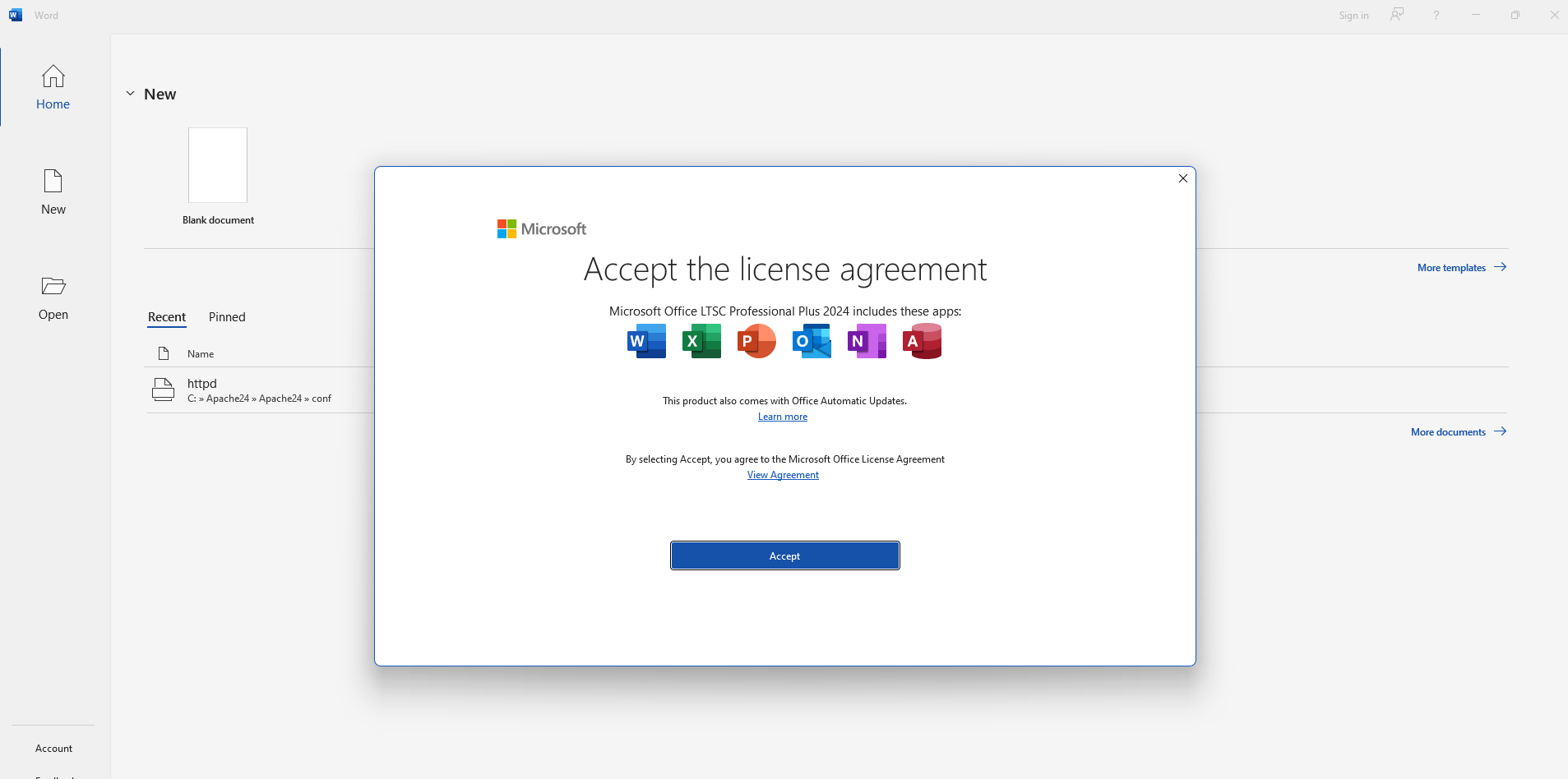
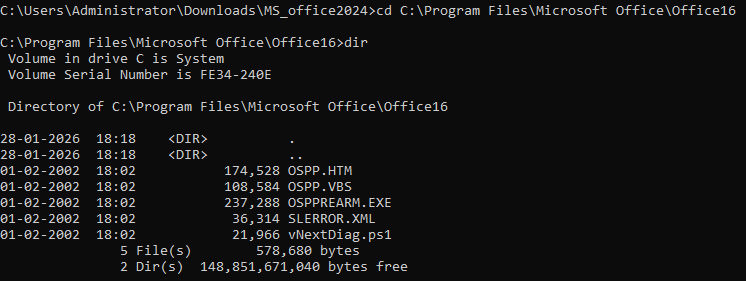
9. Navigate to below mentioned path in the admin command prompt. The dir command should list the files as shown in screenshot.
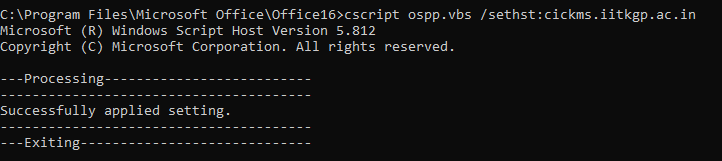
10. Type the below command to set your KMS host:
11. Type the below command to activate your MS Office:
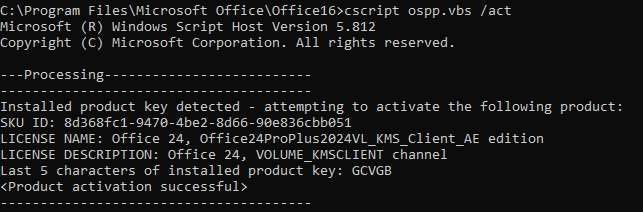
12. Once you get the above output, your installation is complete.