Ansys Scade_2025R2 Installation instructions in Windows
Ansys Scade_2025R2 Installation instructions in Windows
Note: For latest version of Ansys, check CIC software repo (http://swrepo.iitkgp.ac.in).
1. Run \\swrepo.iitkgp.ac.in to login in to the CIC software repo
2. Go to folder Ansys2025R2
3. Go to folder Win and download Scade_2025R2_win64.zip.
4. Extract the Zip file using 7-Zip or similar tools in local disk. Extract the package to Scade_2025R2_WINX64 folder or any other folder
5. Go to Scade_2025R2_WINX64\ folder, right click on setup and click “Run as administrator”.
5. Go to Scade_2025R2_WINX64\ folder, right click on setup and click “Run as administrator”.
6. select all 4 and cleck next
7. Select I agree and cleck Next
8. By default C:\ is selected for installation. But if there is not enough space in C:\ drive then select other drive, Clisk install

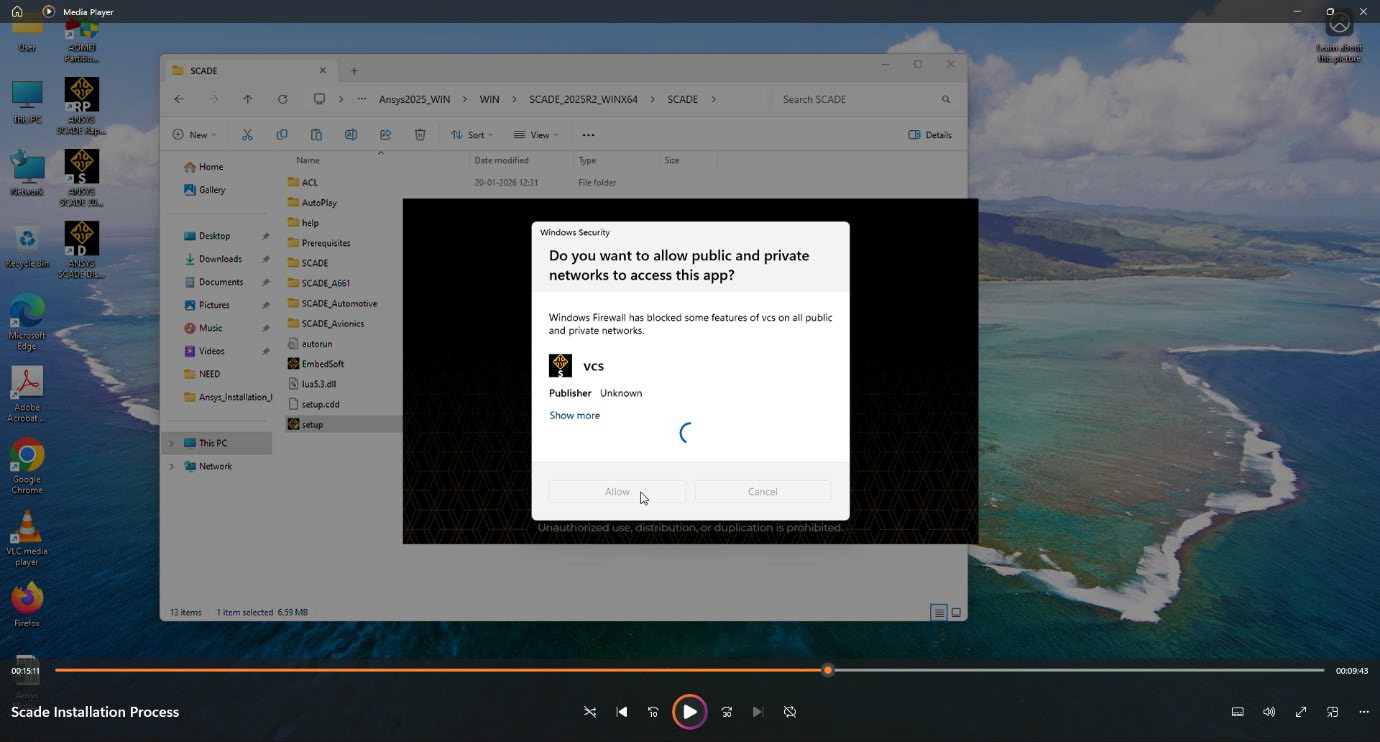
9. Click allow


10. Click exit
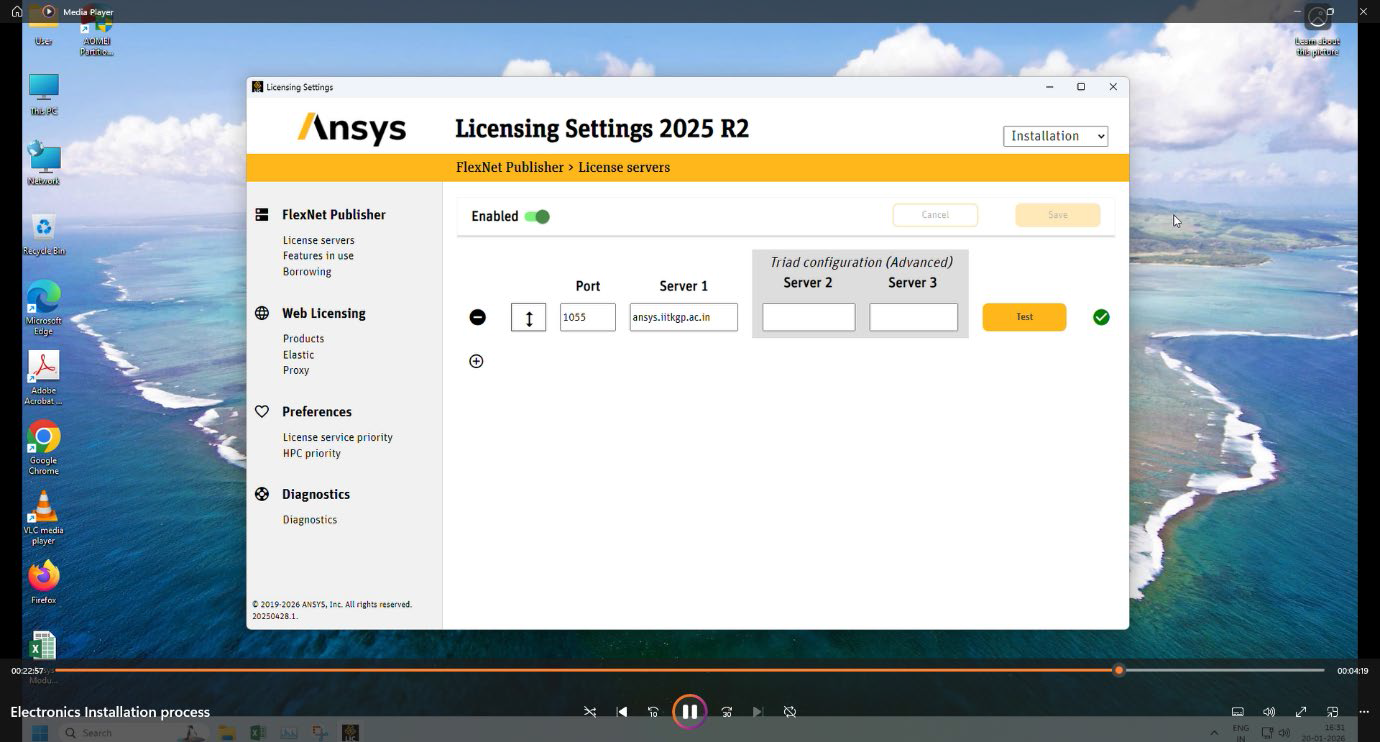
11. Search and select Ansys licensing from all apps and then Select Enabled, Port 1055 and Server 1 as ansys.iitkgp.ac.in . Then click Test and Save the settings.
12. Search and select Ansys Scade
13. Allow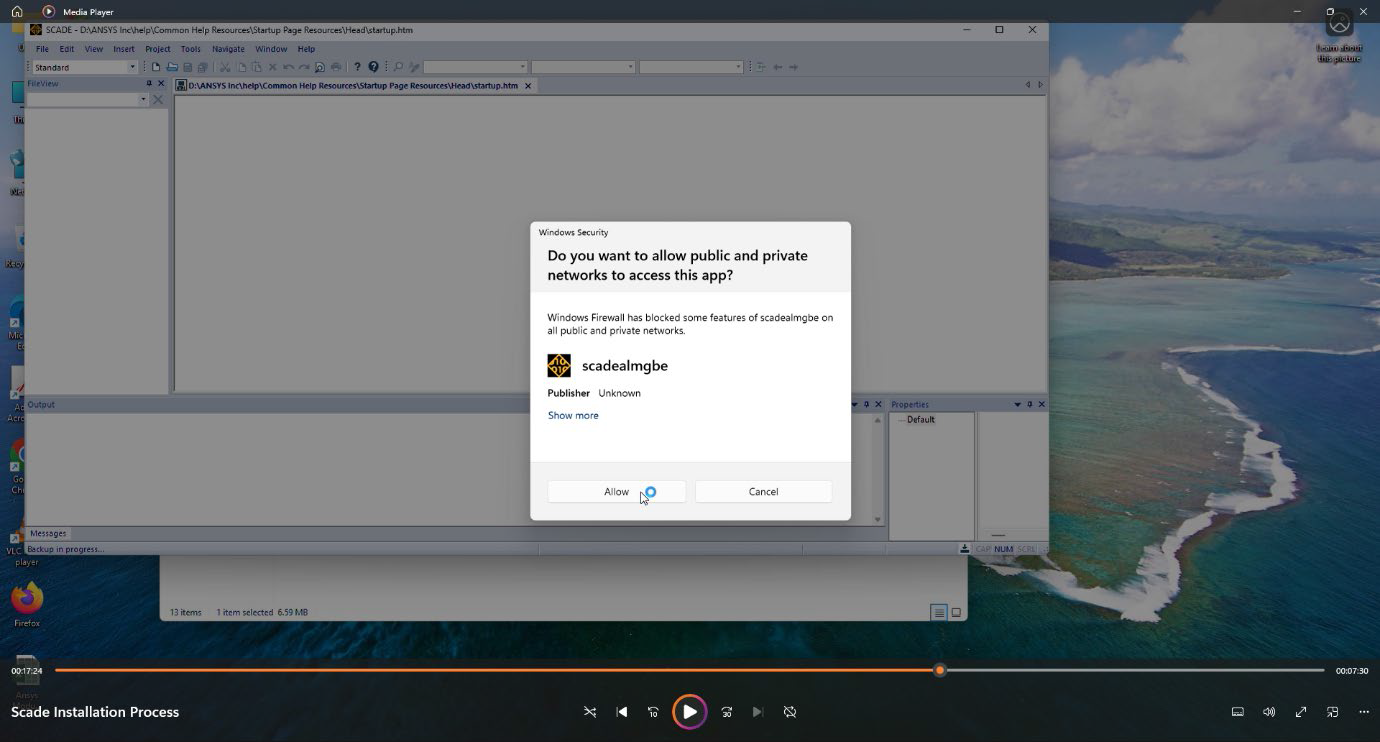

14. Allow